Okay can yall reblog this to share something that’s actually helpful? There are two websites that can assist people with triggers to know whether or not a movie is going to be something they should avoid. The first one is:
Originally created to list whether or not the animals in movies were harmed, it has expanded to list a number of triggering things like people being cut, jumpscares, strobe effects, vomit, deaths of children, and many more. For some categories it links to:
which has a similar format to Does the Dog Die but deals with a variety of sexual themes. It even elaborates on some of the checked categories just to let you know how serious or in what way the category is expressed in the movie.
I don’t like the environment of tumblr scaring people into thinking they don’t have the help or resources they need to live happy and without anxiety unless the right PSA floats across their dash. If there are any other databases anyone knows of that provide more info about media or elaborate upon MPAA ratings, please comment. Let 2018 be a year of empowerment.
some other sources:
common sense media is a generalized and well updated site that gives content warning as a guide to parents, but is also relevant and very helpful if youre looking for your own uses
also all IMDB movie pages have a ‘parents guide’ section that is extremely thorough and gives a description of all potentially disturbing scenes grouped by sex, violence, drugs/alcohol, etc
and wheres the jump is great for horror movies, it gives an exact timestamp and description of any jumpscares in the movie
Tags:
#PSA #I poked at them a bit and while not perfect they seem to be potentially helpful
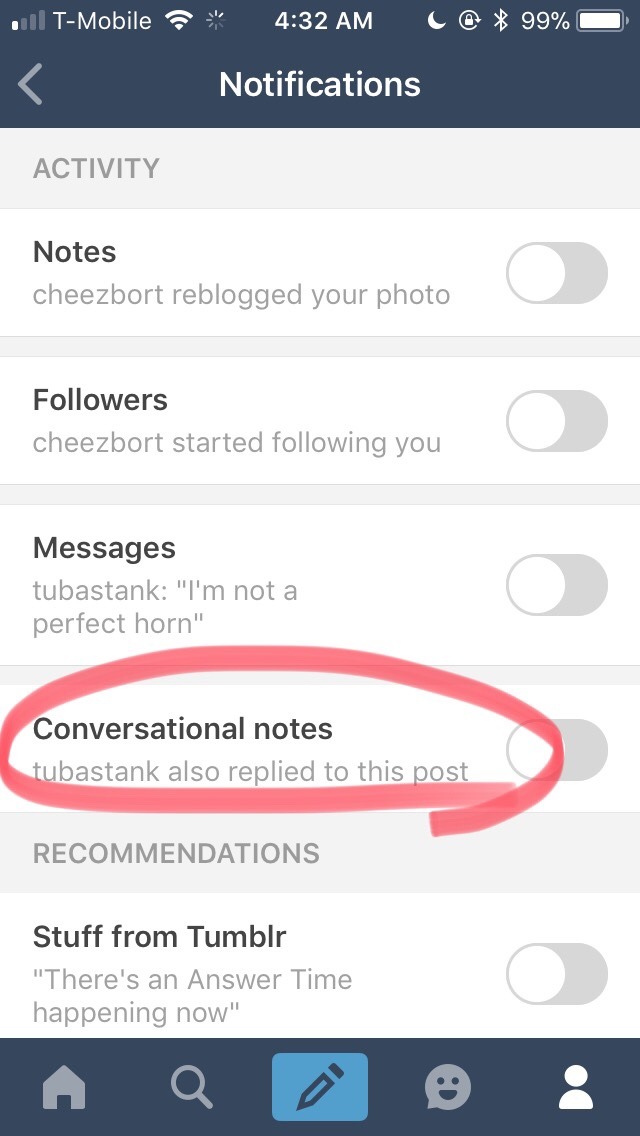
Okay, so it turns the problem with my activity feed that I’ve been complaining about for the past 3 days (the flood of unwanted reply notifications I’ve been getting from other ppl’s viral posts) is indeed a new “feature,” and not a glitch.
THE PLAGUE OF SPAM HAS A NAME: Conversational Notes
Apparently, tumblr thinks that turning our activity pages into an endless YouTube comment section will “encourage more conversations” and “increase engagement” (see: TechCrunch article).
Not all blogs have yet been “gifted” with this “””feature””” but I don’t doubt that soon your blogs will also be affected.
You won’t be able to leave a reply, or reblog comment on any viral post without having your activity page flooded with every single subsequent reply that post receives.
@lilacnebulae Is this like the problem you were having???
Tags:
#The Great Tumblr Apocalypse #Tumblr: a User’s Guide #(I have not received this feature yet) #(thank you for the preparation) #((or is it an app-only thing? I don’t use the app))
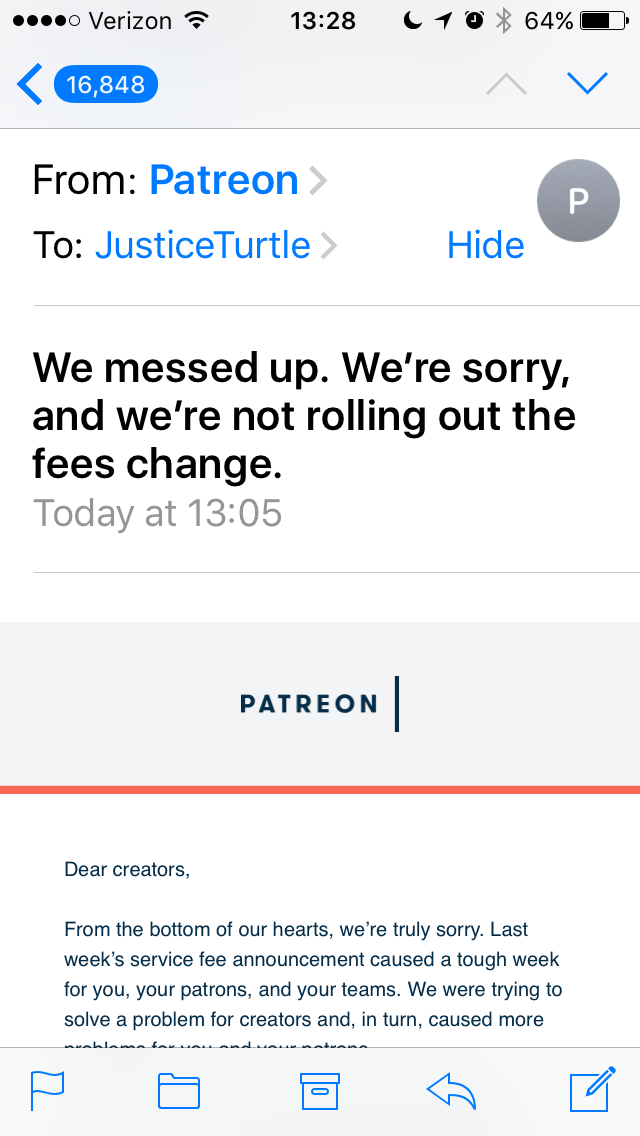
ahahahahahaaaa *laughs my well-rounded ass off* Somebody got smacked down HARD. Patreon’s so used to being the only game in town, they forgot that their core userbase was likely to kick back. Angry fans are like swans: they will not only beat you up, they will bring everybody they ever met to beat you up as well. That is possibly the most sincere-sounding apology I have ever seen from a corporation. ^_^
@ksonney, best known to fandom as Ursula Vernon’s husband, has offered to help creators look at their options and set up somewhere else if switching away from Patreon is a thing you still want to do. (Which it might be! As Ursula put it on Twitter, “They’ve unburned that bridge, but there are still scorch marks on the foundations.”)
Tags:
#Patreon #PSA #interesting #oh look an update #(though I don’t think I posted anything about the original) #(I don’t use Patreon myself)
There’s a new spam virus going around that causes the victim’s blog to send messages to people they follow asking for fractions of bitcoin. So, just to let you know: I would never ask anyone for bitcoin, and chances are, anyone else asking you for it didn’t really send the message
Don’t click any links if you do get such a message, that’s the vector of infection.
Tags:
#PSA #Tumblr: a User’s Guide #(I have been known to use bitcoin in the past but I gave up because the transaction fees these days are just awful)
I am getting first-aid certified because I have an anxiety disorder and here is an IMPORTANT PIECE OF INFORMATION:
if you have a medical emergency and you don’t know what to do, CALL 911. The dispatcher will tell you what to do. They do not just send you paramedics. This is probably the single most important thing to remember about medical emergencies.
If you’re in England, and the idea of calling 999 is too scary because you’re not sure whether it’s serious enough, you can also call 111 for non-emergency help. They’ll ask you a bunch of questions, and if it turns out that it is an emergency will (I’ve been told) call an ambulance for you, and if it’s not that serious give you some advice and call back in a few hours to check up on you.
(sorry for shouting, but open enrollment is only nov 1 – dec 15 this year with minimal advertising to tell folks it’s open. go. please. get yourself covered.)
Tags:
#on the off chance that you haven’t all heard this a zillion times by now #PSA #signal boost #home of the brave
Reminder to turn off tumblr’s stupid “best first” feature now that it’s rolled out!
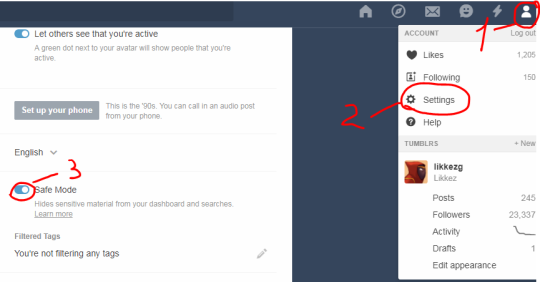
Go to profile>settings (the gear)>global settings>dashboard preferences
How to Get Rid of This Shit for Dummies:
Okay, I could only figure out how to turn this off on MOBILE! It doesn’t seem to give you the option on desktop. So I’m sharing an even greater in-depth tutorial (with images) on how to turn this off.
On MOBILE go to the fourth tab at the bottom that looks like a little person:
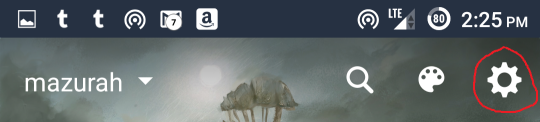
Then at the top of the screen click the little gear:
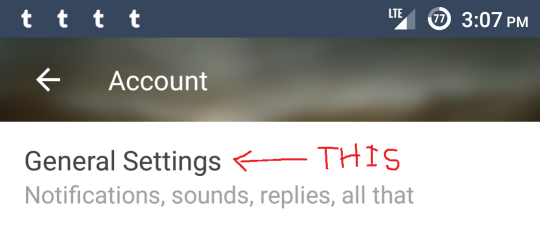
At the top of the screen find the option General Settings:
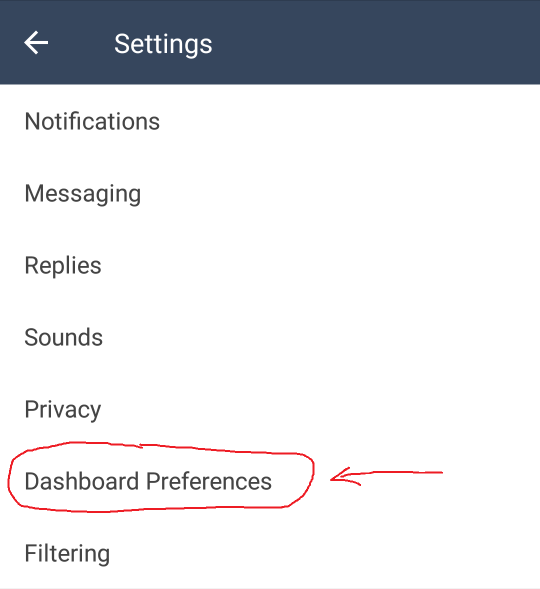
Then find Dashboard Preferences:
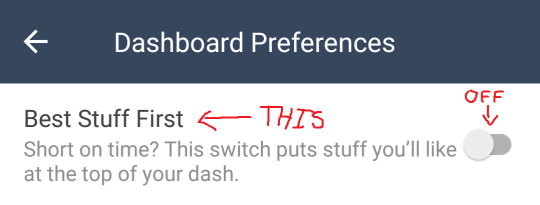
And switch “Best Stuff First” to the OFF position:
To reiterate, that’s:
Profile – Settings – General Settings – Dashboard Preferences – Best Stuff First – OFF
In my experience, settings DO extend across platforms, so if you turn it off on mobile, you should be good on the desktop version as well.
Please reblog!
Tags:
#The Great Tumblr Apocalypse #Tumblr: a User’s Guide #oh look an update #here’s a reminder for those of you who use mobile #now that they’ve actually released it
If the ocean ever disappears DONT GO LOOKING FOR IT… go in the other direction
i know this sounds like a shitpost but isn’t this like, real advice regarding tsunamis
Yes this was about hurricane Irma it is not a shitpost
This is actually really good advice so let me elaborate a bit: if you notice the tide is retreating very quickly at a very odd time of day, get as far away from water and as high up as you can. I live along the ocean and a long time ago we had a small tsunami and a relative of mine tells me how her father saw the tides retreating so he just picked her up and just ran, which probably saved their lives.
So yeah DONT LOOK FOR THE MISSING OCEAN just run away
ocean not lost, ocean is actually winding up to kick you very hard in the nuts.
Tags:
#hurricanes #PSA #the more you know #(yes I’m reblogging this very late) #(I haven’t gone through my ”consider whether to reblog this” tabs in a while) #((but good information for next time))