Somebody subscribed to me on Dreamwidth with a name I didn’t recognize, but by the time I noticed and checked them out they had deactivated, noting that they were creeped out by the fact that the site made your email address public.
In case they see it over here, I wanted to note that while this is the default and therefore kind of a newbie trap, it can be disabled in the settings (along with your birthdate, location and other stuff). You can also choose to show that stuff only to people who are logged into Dreamwidth or only to people you’ve granted access to (i.e., people who can read your private posts). Finally, if you want to show an email but not the email that you use for account admin, there is an option for that, though nowadays having any email exposed on the web is kind of gutsy.
Dreamwidth has a good rundown of site privacy here and here, if you want more detailed information. I wish I could conceal my subscribes and community memberships, but other than that I’m pretty satisfied with how they handle things.
this is a good psa if you’re like me and hastily made an account for later use and didn’t know that a website operational in 2018 would display an email by default D:
1 – Really? Mine is set as “Do not show” and I don’t remember deliberately doing that, so it must have been a pretty seamless part of the account creation process to set that.
2 – Actually this may well be the best email privacy control I have ever seen on the net:
I can pick whether or not to show an email – and even then, I can pick different email addresses for administration and user contact. That’s fantastic.
(But you probably should go check your email default – it might have come completely naturally to me to mark that as “Do not show” during the account creation process, but perhaps not so much for you?)
Tags:
#PSA #Dreamwidth #(I honestly don’t remember what the default privacy settings were it’s been six years since I originally made the account) #(I know that currently my email is private and my birthday and location are precisely as public as I intended them to be)
Many users are reporting massive data loss following the October 2018 Windows 10 update. Personal files are being deleted and hard drives are being corrupted in addition to several performance glitches. Users who have received the update are reporting all of their personal files such as documents, music, pictures, and videos being deleted following the update.
Some people have lost hundreds of gigabytes of data. These files are completely disappearing following the update – they do not wind up in the recycle bin, they are completely gone. Other users are reporting their entire hard drives or SSDs becoming corrupted, making rollback and recovery of said deleted files impossible.
In addition to the file deletion, devices with 6th generation Intel processors and newer are reporting awful battery life and CPU usage following the update.
Long story short, hold off on the October 2018 update for now. There are too many glitches and way too much to lose. If you attempt it,
Again?! Jesus fuckwaffles, I still haven’t gotten back on Win10 after the April update bricked my laptop…
Tags:
#PSA #I recommend keeping backups just in general #but now would be an especially good time #and even with a full backup this would still be a huge pain to deal with #(I haven’t booted up my Win10 partition lately so I haven’t encountered any of this myself) #amnesia cw
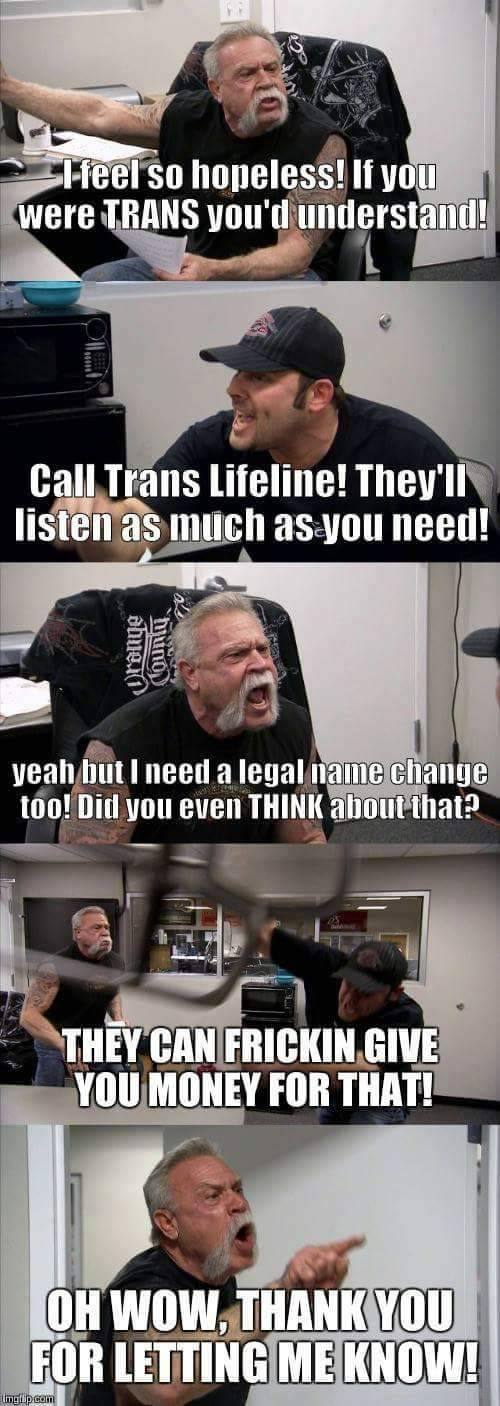
Okay so I just got off the phone with them. I talked to a trans girl named Aurora & she was super helpful! She gave me a few doctors to talk to & encouraged me to seek therapy instead of just rushing to get my pills. She literally found a trans friendly therapist in my town & I would definitely recommend giving them a call!
Check out their website for monetary help here! People can apply for ID assistance in the form of microgrants, which I previously had no idea about! Also trans folks can train to be a hotline operator, how awesome is that??
Tags:
#gender #the more you know #not as discoursey as it first appears
conditions under which i encountered this message: i answered an ask on mobile, then reblogged it on mobile and added two images (from my phone gallery) to the body of the reblog. went back on desktop because i wanted to add it to my #pop tag, which is where popular posts go. link to post (screwed up on my desktop theme sorry)
alright so PSA apparently now if you make a post on the tumblr app you can only edit it from the tumblr app.
basically, stop using the tumblr app if you ever want to edit your posts, ever! do you like to edit things? update them? want to correct facts you posted at a later time? want to correct a typo without deleting the post? does typing on a tiny screen hurt, so you would rather edit on desktop later? add tags? delete tags? all of these and more are now not possible on desktop if you make the initial post on the tumblr app for who knows why.
this extremely sucks as someone who is not always able to sit in front of a computer for health reasons, as most of my posts are initially made on mobile and then edited later on desktop. cool thanks! great
I just learned the hard way that even if you ONLY use the Browser version of Tumblr- if you reblog / reply to a post created by the app, and then try to edit your reply you’ll get the same error message.
I live in a deadzone, no smartphone service. I literally CANNOT use the app version to edit my reply / reblog. Since so many people use the app this has essentially crippled me against editing my replies to literally anything. I have to delete the reblog and write it over to make the slight edit. This is ridiculous.
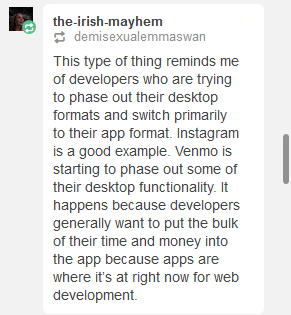
My best guess?They’re doing this in order to get the people to use the app most of the time, instead of the desktop client. Why would they do that? Well, for one, the app contains ads that are much more difficult to block than those on desktop (you need at least a rooted phone and a specialized program like AdAway to be able to block in-app ads on Android, for example). Secondly, maintaining two codebases, one for the desktop site, one for the app, is likely something they want to do away with, particularly if they ever start implementing cost-cutting measures. Which, again, would mean them finding ways to shunt as much of the user-base to the app as possible, by making use of the desktop page more and more onerous.
Looking at the comments, it seems that someone else has made a similar point:
This is, yet again, another reason why groups such as fannish communities would be best served by finding alternative havens, preferably ones that respect desktop users and don’t knee-cap us just because ‘app development is where it’s now at.’
Yup, I got this earlier. I often save stuff to my drafts on mobile to tag and reblog later on desktop, and it looks like I can no longer do that.
I emailed Support to ask about it and got a wishy-washy message back about how they were “testing new ways to display Tumblr” and that I may see “these options go back to their original design”.
While this is obviously a functionality thing and not a display thing, hopefully this indicates that it’s not permanent yet? It definitely couldn’t hurt for other folks who are having trouble to message Support too.
Tags:
#The Great Tumblr Apocalypse #(I never use the app) #(on those rare occasions that I access Tumblr through my smartphone it’s with a browser) #((I don’t actually understand what lack of cell service has to do with anything)) #((it’s not like smartphones are incapable of using Wi-Fi)) #((hell you could probably get wired Internet to work if you relayed it through a PC or something)) #((but I do hear that Tumblr is not an easy app to run and a fair number of phones cannot handle it)) #((so the gist of thenightling’s point remains))
i’ve seen a lot of posts about it on mastodon but not over here, so
if you use the ‘Stylish’ browser extension to make websites not look like shit, you need to backup your themes, uninstall it, install Stylus instead, and import your themes into that
A small PSA that tumblr is no longer only having issues with showing acivity, it’s also taken to eating asks at an alarming rate. So, it may not be a bad idea to message your partners and ask if they’ve even received the memes and messages you’ve been sending them through the inbox, because it seems like most people, unfortunately, are not.
edit: there’s a post herethat explains and gives you a good way to check if your own blog has been missing asks sent to it.
the link to the post explaining how to check isn’t working, but if you need to check, send yourself 5-10 asks, each numerical. check & see which come out, just to make sure if you’re being affected or not !
Tags:
#reblogging version with added advice #PSA #The Great Tumblr Apocalypse
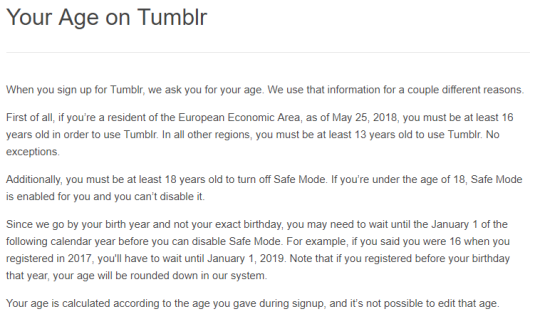
@ all my followers who are currently under 16 and live in the EU or EEA (European economic area):
Tumblr will probably delete your blog or terminate it on 25th May 2018. They’re updating to terms and conditions and New European Privacy and the new minimum age to use tumblr will be 16.
Look, I have no idea if the “will delete your blog” part is true or not. I just would hate to wake up and find that had happened? So giving a reblog despite my uncertainty. Kiddos, if you’re in the EU, heads up.
Yeah, they’re remarkably unclear about whether they’ll *delete* your blog, but “locked out of your account until the next January 1st after they deem you of age” is the most *optimistic* interpretation I can come up with for what they said in that link. (”No exceptions” implies no grandfathering.)
#the EU is being such a pain in the ass lately #the newsletters my free-stuff email is on are all panicking and begging me to reassure them I’m still interested #I’m not even *in* the EU but *they* don’t know that for sure and can’t take the risk #(I hope I didn’t overlook any begging instances or I’m gonna end up deprived of useful emails) #The Great Tumblr Apocalypse #PSA
Too Like the Lightning is now out free as an ebook for the next three days (ends midnight, March 23rd) through Tor! So if you’re curious what all this is about, (like me) picked up a physical copy but would still like to have an ebook, or for any other reason want a free ebook, check it out!
#oooooh #I have no idea when (if ever) I will be in an appropriate frame of mind to read this #but it would be good to have the option stashed away in my ebook hoard #requires a couple of newsletter signups but I’m used to that and have a dedicated newsletter email #(and yes I *do* actually check my messages on that account) #(and only *mostly* to see if they’ve brought me any more stuff) #Terra Ignota #PSA
Yeah, I know I’m not Supposed to be happy about it, but sunlight! A whole hour of it! Every day!
(I never wake up before dawn anyway, so this does actually add sunlight to my day rather than moving it around)
Equinoctes are all well and good, but this is the beginning of spring as I see it.
(*looks at snow falling outside* Not that everything gets the memo right away, but I do get springtime levels of daylight!)
Tags:
#reusing last year’s post because it’s still accurate #(at the time that I first attempted to reblog this it was even snowing) #(but my computer was running very slowly and I had to leave for work so I ended up not having time) #(not snowing anymore) #Daylight Savings Time #PSA