There’s a bug going round (though I have my doubts as to how much of a ‘bug’ it actually is) that prevents people from accessing their blogs if they go to the blogname.tumblr.com address. Any attempt to access blogs this way (ours, those of others or any kinds of links on the web that lead back to Tumblr posts) results in us being redirected to the main Dashboard page (tumblr.com/dashboard). The only way to access a blog, for those of us affected by this bug, is to go to the Dashboard pop-up view (tumblr.com/dashboard/blog/blognamehere). Of course, the Tumblr mobile app is wholly unaffected. Of course.
Here’s where it gets very fucking sketchy for me:
so far, every single user I’ve seen affected by this bug is located in Europe, like myself;
when I tried to access several blogs (my own among them) through a US proxy, I was able to do so, without being redirected to the Dashboard
I repeat, this ‘bug’ affects European users and I was able to access blog-pages by using AN AMERICAN IP ADDRESS. What in the ever-loving hell, @staff?
In light of GDPR (and Tumblr being singled out as one of the sites that made it as onerous as possible to opt-out of your data being shared with a ludicrous number of third-parties), I really wouldn’t be surprised if they’re trying to kick European users to the curb in this way / trying to force us to use the mobile app instead. Just the thought of having to pay for a VPN so I can keep this fucking site even remotely functional (remember – no Tumblr content link from the web is accessible anymore – if I click on a link that’s blogname.tumblr.com/post/postnumber, I’m always redirected to the first page of the dashboard) makes my blood boil.
EDIT: Several users in the notes saying that they’re in the US / on US IPs and also having similar problems
It remains to be seen exactly how many American users affected, versus how many European ones.
NEW INFORMATION: It seems that when a European user tries to access a blog page, Tumblr redirects them to the /privacy/consent
path. Problem is, this path doesn’t actually FUNCTION, so the user is instead redirected to the root path (/). Which on Tumblr means the Dashboard.
Malice… or abject incompetence? I’m leaning far more toward the latter, at this point.
Tags:
#The Great Tumblr Apocalypse #(I have not been having this problem) #(*knocks on wood*) #((one of many advantages to having a wooden laptop desk))
conditions under which i encountered this message: i answered an ask on mobile, then reblogged it on mobile and added two images (from my phone gallery) to the body of the reblog. went back on desktop because i wanted to add it to my #pop tag, which is where popular posts go. link to post (screwed up on my desktop theme sorry)
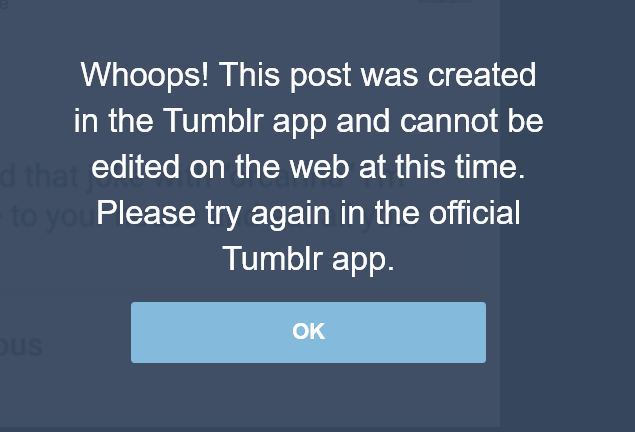
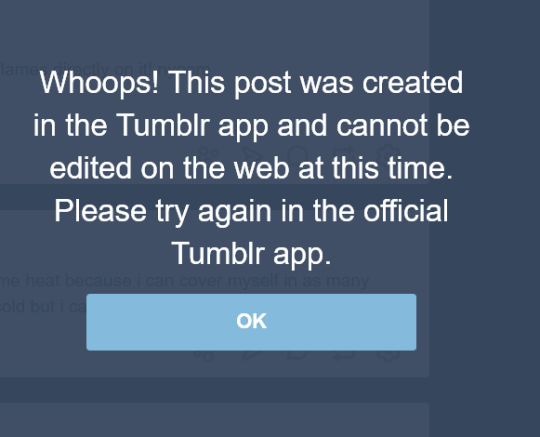
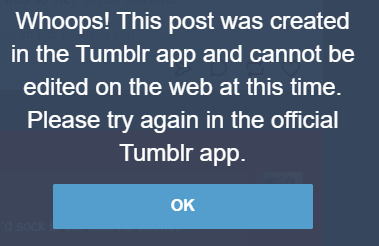
alright so PSA apparently now if you make a post on the tumblr app you can only edit it from the tumblr app.
basically, stop using the tumblr app if you ever want to edit your posts, ever! do you like to edit things? update them? want to correct facts you posted at a later time? want to correct a typo without deleting the post? does typing on a tiny screen hurt, so you would rather edit on desktop later? add tags? delete tags? all of these and more are now not possible on desktop if you make the initial post on the tumblr app for who knows why.
this extremely sucks as someone who is not always able to sit in front of a computer for health reasons, as most of my posts are initially made on mobile and then edited later on desktop. cool thanks! great
I just learned the hard way that even if you ONLY use the Browser version of Tumblr- if you reblog / reply to a post created by the app, and then try to edit your reply you’ll get the same error message.
I live in a deadzone, no smartphone service. I literally CANNOT use the app version to edit my reply / reblog. Since so many people use the app this has essentially crippled me against editing my replies to literally anything. I have to delete the reblog and write it over to make the slight edit. This is ridiculous.
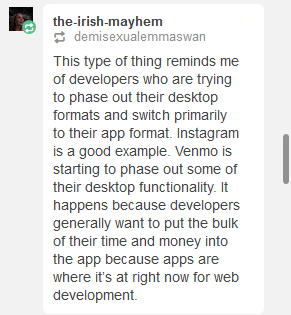
My best guess?They’re doing this in order to get the people to use the app most of the time, instead of the desktop client. Why would they do that? Well, for one, the app contains ads that are much more difficult to block than those on desktop (you need at least a rooted phone and a specialized program like AdAway to be able to block in-app ads on Android, for example). Secondly, maintaining two codebases, one for the desktop site, one for the app, is likely something they want to do away with, particularly if they ever start implementing cost-cutting measures. Which, again, would mean them finding ways to shunt as much of the user-base to the app as possible, by making use of the desktop page more and more onerous.
Looking at the comments, it seems that someone else has made a similar point:
This is, yet again, another reason why groups such as fannish communities would be best served by finding alternative havens, preferably ones that respect desktop users and don’t knee-cap us just because ‘app development is where it’s now at.’
Yup, I got this earlier. I often save stuff to my drafts on mobile to tag and reblog later on desktop, and it looks like I can no longer do that.
I emailed Support to ask about it and got a wishy-washy message back about how they were “testing new ways to display Tumblr” and that I may see “these options go back to their original design”.
While this is obviously a functionality thing and not a display thing, hopefully this indicates that it’s not permanent yet? It definitely couldn’t hurt for other folks who are having trouble to message Support too.
Tags:
#The Great Tumblr Apocalypse #(I never use the app) #(on those rare occasions that I access Tumblr through my smartphone it’s with a browser) #((I don’t actually understand what lack of cell service has to do with anything)) #((it’s not like smartphones are incapable of using Wi-Fi)) #((hell you could probably get wired Internet to work if you relayed it through a PC or something)) #((but I do hear that Tumblr is not an easy app to run and a fair number of phones cannot handle it)) #((so the gist of thenightling’s point remains))
A small PSA that tumblr is no longer only having issues with showing acivity, it’s also taken to eating asks at an alarming rate. So, it may not be a bad idea to message your partners and ask if they’ve even received the memes and messages you’ve been sending them through the inbox, because it seems like most people, unfortunately, are not.
edit: there’s a post herethat explains and gives you a good way to check if your own blog has been missing asks sent to it.
the link to the post explaining how to check isn’t working, but if you need to check, send yourself 5-10 asks, each numerical. check & see which come out, just to make sure if you’re being affected or not !
Tags:
#reblogging version with added advice #PSA #The Great Tumblr Apocalypse
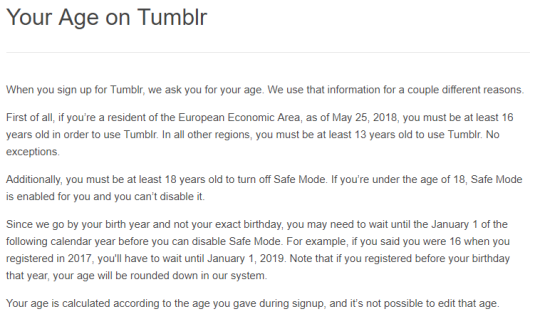
@ all my followers who are currently under 16 and live in the EU or EEA (European economic area):
Tumblr will probably delete your blog or terminate it on 25th May 2018. They’re updating to terms and conditions and New European Privacy and the new minimum age to use tumblr will be 16.
Look, I have no idea if the “will delete your blog” part is true or not. I just would hate to wake up and find that had happened? So giving a reblog despite my uncertainty. Kiddos, if you’re in the EU, heads up.
Yeah, they’re remarkably unclear about whether they’ll *delete* your blog, but “locked out of your account until the next January 1st after they deem you of age” is the most *optimistic* interpretation I can come up with for what they said in that link. (”No exceptions” implies no grandfathering.)
#the EU is being such a pain in the ass lately #the newsletters my free-stuff email is on are all panicking and begging me to reassure them I’m still interested #I’m not even *in* the EU but *they* don’t know that for sure and can’t take the risk #(I hope I didn’t overlook any begging instances or I’m gonna end up deprived of useful emails) #The Great Tumblr Apocalypse #PSA
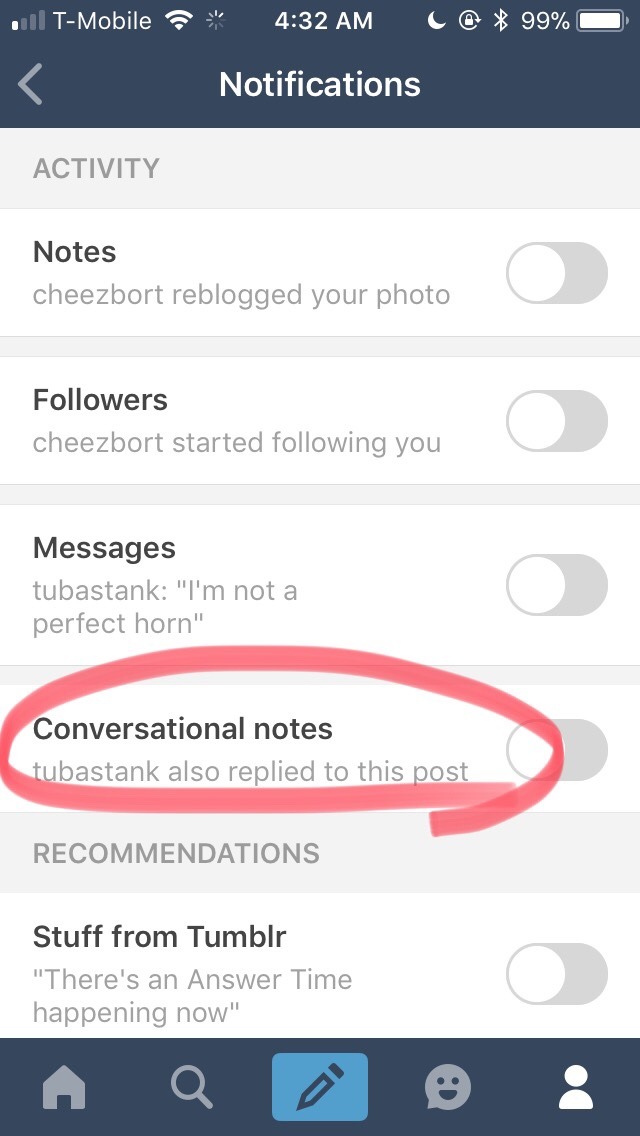
Okay, so it turns the problem with my activity feed that I’ve been complaining about for the past 3 days (the flood of unwanted reply notifications I’ve been getting from other ppl’s viral posts) is indeed a new “feature,” and not a glitch.
THE PLAGUE OF SPAM HAS A NAME: Conversational Notes
Apparently, tumblr thinks that turning our activity pages into an endless YouTube comment section will “encourage more conversations” and “increase engagement” (see: TechCrunch article).
Not all blogs have yet been “gifted” with this “””feature””” but I don’t doubt that soon your blogs will also be affected.
You won’t be able to leave a reply, or reblog comment on any viral post without having your activity page flooded with every single subsequent reply that post receives.
@lilacnebulae Is this like the problem you were having???
Tags:
#The Great Tumblr Apocalypse #Tumblr: a User’s Guide #(I have not received this feature yet) #(thank you for the preparation) #((or is it an app-only thing? I don’t use the app))
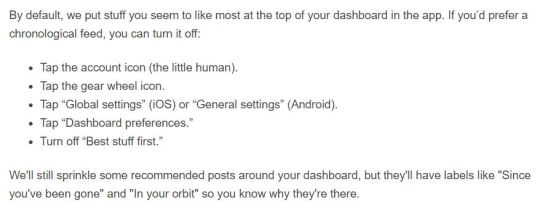
Reminder to turn off tumblr’s stupid “best first” feature now that it’s rolled out!
Go to profile>settings (the gear)>global settings>dashboard preferences
How to Get Rid of This Shit for Dummies:
Okay, I could only figure out how to turn this off on MOBILE! It doesn’t seem to give you the option on desktop. So I’m sharing an even greater in-depth tutorial (with images) on how to turn this off.
On MOBILE go to the fourth tab at the bottom that looks like a little person:
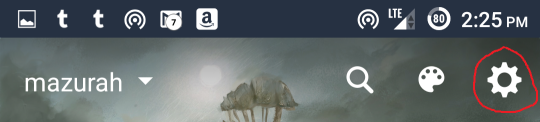
Then at the top of the screen click the little gear:
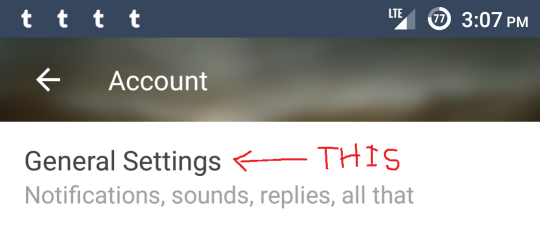
At the top of the screen find the option General Settings:
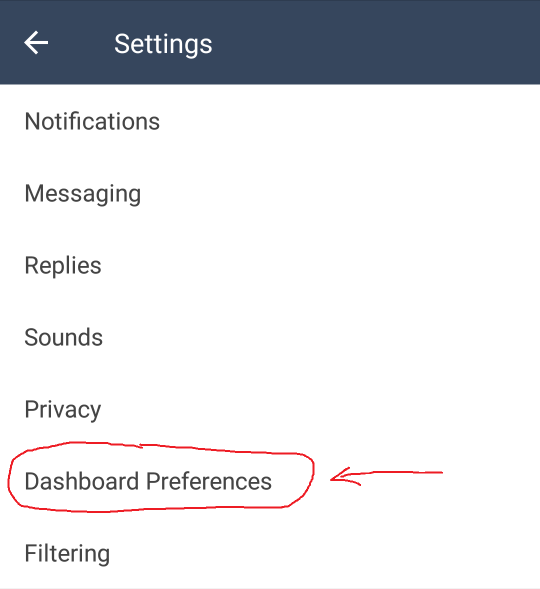
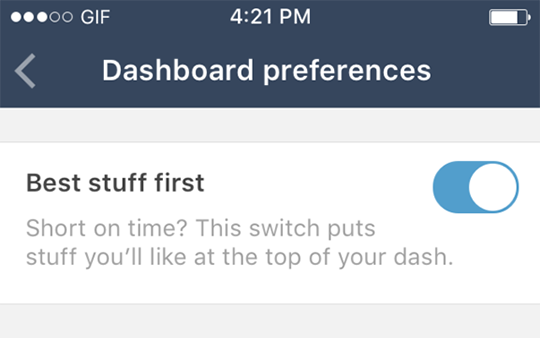
Then find Dashboard Preferences:
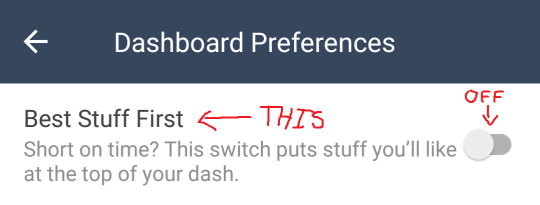
And switch “Best Stuff First” to the OFF position:
To reiterate, that’s:
Profile – Settings – General Settings – Dashboard Preferences – Best Stuff First – OFF
In my experience, settings DO extend across platforms, so if you turn it off on mobile, you should be good on the desktop version as well.
Please reblog!
Tags:
#The Great Tumblr Apocalypse #Tumblr: a User’s Guide #oh look an update #here’s a reminder for those of you who use mobile #now that they’ve actually released it
Extremely handy if you follow a lot of people and hate missing anything good.
Best Stuff First moves the best stuff on your dashboard—mhm!—right up to the top.
It’s rolling out this week on iOS and Android, and comes with this Help Center article.
Thanks! ✌️
Head’s up folks! Tumblr decided to shit the bed and go non-chronological!
This bullshit is being rolled out this week and it’s going to be default!
Tags:
#…holy shit #I saw the original staff post but I missed the part where it’s *on by default* #I don’t use mobile but I’ll have to keep an eye on my settings to make sure they don’t do this to my laptop #The Great Tumblr Apocalypse #Tumblr: a User’s Guide
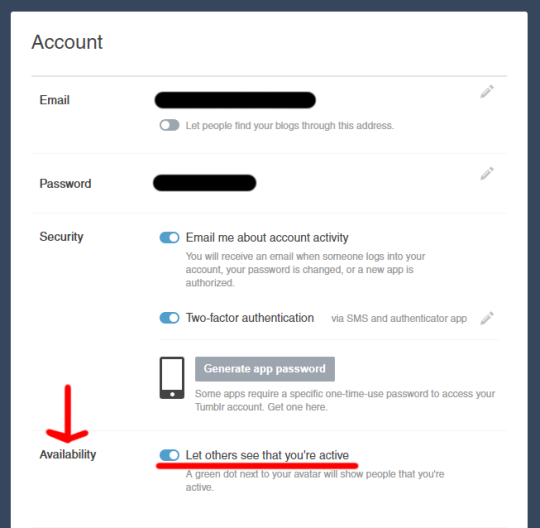
Hey guys, a quick note. Tumblr just added a ‘feature’ that shows if you’re online or not. The only place I see it is in the messenger, though it might be elsewhere. It’s showing a friend as online even though they just have a tumblr tab open that they haven’t looked at in hours. It also shows how long ago they were active. I don’t know how it interacts with the app.
I have a few problems with this:
I personally don’t like the feeling of being stalked
People could actually stalk you
Person A could get mad at Person B because it said Person B was online but they weren’t (and thus didn’t respond) – or just wasn’t up to talking
Person X could message Person Y and get anxious when person Y doesn’t respond, since it says they’re online
I found the place to turn it off in account settings. There’s a section called “Availability” where you can toggle off the functionality.
Safe browsing, folks.
Tags:
#The Great Tumblr Apocalypse #Tumblr: a User’s Guide #(didn’t reblog this right away because it wasn’t showing up for me yet and I wanted to check it for myself first) #(still not seeing any green dots (maybe just looking in the wrong places) but the availability option has shown up now) #((I turned it off))
After experimenting with different approaches and formats for the last year or so, we’re putting an indefinite pause on the partner program that we announced last summer. We’re still excited by the possibilities of the project, and may revisit it in the future, but we haven’t quite figured out the best way to deliver on our goal.
For the time being, we’ve also taken down all the ads that were appearing on individual blogs across Tumblr while we determine how to deliver the best overall experience for both our users and our advertisers.
Thanks for being a part of all this, and we greatly appreciate your patience.