{{previous post in sequence}}


somnilogical:

brin-bellway:

somnilogical:

my hobby: mass downloading the entire corpuses of long-running blogs on to my phone as an epub and searching keywords when i want to talk with someone

What mass-downloading method do you use?

I, too, am interested in downloading entire blog corpuses onto my phone, and I’m curious if you have any tips/techniques for archiving more effectively.

(I’m not sure to what extent your post is joking, but I thought I’d ask the above in case it’s sufficiently serious that you actually have a real mass-downloading method in mind.)

ive used http://www.bloxp.com/ (id like something better) which converts some blogs and has trouble with others

this is a thing i do! ah but i did prepend it with the meme format of “my hobby:” which is evidence that the thing following is not, in fact, your hobby

Ooh!

For what I can tell from the initial testing: not a full solution, but for the things it *can* handle, much faster and less effort than the pasting-things-into-LibreOffice-documents (sometimes printing-pages-to-PDF) I normally do.

(Automation is like salt: I often find things are better after adding it, but it rarely occurs to me to add it unprompted.)

P.S. It did at least occur to me a mere couple of weeks after changing my podcast-downloading habits to something that would be aided by a podcatcher that I should, in fact, get a podcatcher. Although that might have been prompted by noticing that Rhythmbox has a podcatcher built-in, so maybe it doesn’t count.


Tags:

#reply via reblog #Brin owns *two* 2010’s computers now #(the following category tag was added retroactively:) #101 Uses for Infrastructureless Computers


somnilogical:

my hobby: mass downloading the entire corpuses of long-running blogs on to my phone as an epub and searching keywords when i want to talk with someone

What mass-downloading method do you use?

I, too, am interested in downloading entire blog corpuses onto my phone, and I’m curious if you have any tips/techniques for archiving more effectively.

(I’m not sure to what extent your post is joking, but I thought I’d ask the above in case it’s sufficiently serious that you actually have a real mass-downloading method in mind.)


Tags:

#reply via reblog #Brin owns *two* 2010’s computers now #(the following category tag was added retroactively:) #101 Uses for Infrastructureless Computers



{{next post in sequence}}

mamoru:

hey what the fuck is this new monstrosity of an error message?????


mamoru:

conditions under which i encountered this message: i answered an ask on mobile, then reblogged it on mobile and added two images (from my phone gallery) to the body of the reblog. went back on desktop because i wanted to add it to my #pop tag, which is where popular posts go. link to post (screwed up on my desktop theme sorry)


mamoru:

UPDATE: I CAN NO LONGER EDIT EVEN TEXT POSTS THAT WERE MADE FROM THE APP WHILE ON DESKTOP??

tumblr_inline_pc6imelotk1r124nx_540

A REGULAR TEXT POST IS NOW NOT ABLE TO BE EDITED ON DESKTOP IF YOU MAKE IT ON MOBILE? LINK TO THE TEXT POST THAT IS APPARENTLY TOO ADVANCED FOR TUMBLR’S DESKTOP CLIENT TO EDIT

ALSO AFTER RECEIVING THIS ERROR IT WOULD NOT LET ME SCROLL AWAY FROM THE POST UNTIL I REFRESHED

IS ANYONE ELSE EXPERIENCING THIS??? WHAT THE HECK


twitchytyrant:

tumblr_inline_pc6jjmixse1us08cl_540

tested it and got the same problem. this is bullshit, how the hell does this even become an issue


mamoru:

alright so PSA apparently now if you make a post on the tumblr app you can only edit it from the tumblr app.

basically, stop using the tumblr app if you ever want to edit your posts, ever! do you like to edit things? update them? want to correct facts you posted at a later time? want to correct a typo without deleting the post? does typing on a tiny screen hurt, so you would rather edit on desktop later? add tags? delete tags? all of these and more are now not possible on desktop if you make the initial post on the tumblr app for who knows why.

this extremely sucks as someone who is not always able to sit in front of a computer for health reasons, as most of my posts are initially made on mobile and then edited later on desktop. cool thanks! great


pawnshopsouls:

@staff


thenightling:

I just learned the hard way that even if you ONLY use the Browser version of Tumblr- if you reblog / reply to a post created by the app, and then try to edit your reply you’ll get the same error message.

I live in a deadzone, no smartphone service.  I literally CANNOT use the app version to edit my reply / reblog.  Since so many people use the app this has essentially crippled me against editing my replies to literally anything.  I have to delete the reblog and write it over to make the slight edit.  This is ridiculous.  

@staff!  


haedonists:

My best guess? They’re doing this in order to get the people to use the app most of the time, instead of the desktop client. Why would they do that? Well, for one, the app contains ads that are much more difficult to block than those on desktop (you need at least a rooted phone and a specialized program like AdAway to be able to block in-app ads on Android, for example). Secondly, maintaining two codebases, one for the desktop site, one for the app, is likely something they want to do away with, particularly if they ever start implementing cost-cutting measures. Which, again, would mean them finding ways to shunt as much of the user-base to the app as possible, by making use of the desktop page more and more onerous.

Looking at the comments, it seems that someone else has made a similar point:

tumblr_inline_pc7pny34ko1ukal5z_540

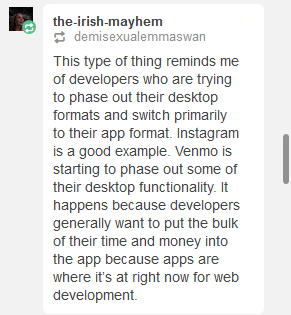
This is, yet again, another reason why groups such as fannish communities would be best served by finding alternative havens, preferably ones that respect desktop users and don’t knee-cap us just because ‘app development is where it’s now at.’


cosmic-llin:

Yup, I got this earlier. I often save stuff to my drafts on mobile to tag and reblog later on desktop, and it looks like I can no longer do that. 

I emailed Support to ask about it and got a wishy-washy message back about how they were “testing new ways to display Tumblr” and that I may see “these options go back to their original design”. 

While this is obviously a functionality thing and not a display thing, hopefully this indicates that it’s not permanent yet? It definitely couldn’t hurt for other folks who are having trouble to message Support too.


Tags:

#The Great Tumblr Apocalypse #(I never use the app) #(on those rare occasions that I access Tumblr through my smartphone it’s with a browser) #((I don’t actually understand what lack of cell service has to do with anything)) #((it’s not like smartphones are incapable of using Wi-Fi)) #((hell you could probably get wired Internet to work if you relayed it through a PC or something)) #((but I do hear that Tumblr is not an easy app to run and a fair number of phones cannot handle it)) #((so the gist of thenightling’s point remains))

moral-autism:

moral-autism:

moral-autism:

moral-autism:

Laptop is in the shop almost certainly overnight at least. I can’t find the power cable for my old 2010 one. I probably can’t set up my Raspberry Pi, I know I don’t have the right adapter for it because I broke it. I might be able to use someone’s old AlphaSmart?

Laptop still in shop. I should get info tomorrow at least, emails say I’ll be called after 48 hours. I forgot to ask about the AlphaSmart.

Honestly I think the amount of stuff I’ve done and the fact that I have had chunks of happiness over the past several days and not injured myself at all is really suggestive of a lot of mental health improvement. Maybe it’s experiences, maybe it’s having more produce and sardines, but something’s working.

This is still really difficult for me, though.

Update: Apple called this morning to say that I have a hard drive problem (that affects booting from USBs and persists when the drive is wiped, yet doesn’t present any issues when copying files off the drive? seems unlikely) or a motherboard problem. Apple wanted to charge $475 to fix it, which I declined.

I was able to install Xubuntu on it from USB, and it is “working”, in that it still can’t talk to the battery at all and that it seems to freeze sometimes. I’ll probably try to transfer files later today. I am still overall dissatisfied with this state of affairs, though.

I am happy that I have a computer right now, but this does create a bit of a dilemma. I’m not sure I can justify replacing this computer just because I want to play some video games without Linux support and be able to see how charged my battery is. I guess this might get worse in the future, which might also justify replacing it. I sure don’t know how to replace a motherboard myself, and it sounds like a huge pain.

Laptop status update:

  • It gets completely nonresponsive and requires a forced shutdown sometimes more than once daily
  • Still doesn’t show the battery level (acpi won’t work)
  • Sleep/wake issues, does not travel well (overheats in bag)
  • Cannot shut down properly

I also still haven’t put my files on this thing. “Mount a 200GB disk image, on an HFS-formatted drive, of an Ext4 partition with logical volume management, and then figure out how to decrypt an encrypted user folder, with the password but without being able to log into it” is something which sounds like it should be technically feasible but also kind of sounds like a nightmare, and I have a feeling that my current computer setup is really not my long-term setup. I can get files from SpiderOak but that will take a while and they won’t be as recent.

What’s going on with the disk image was that booting up my computer in Target Disk Mode and getting the data off of it, using a connected Mac, was such that I couldn’t mount or even really properly interpret a partition with logical volume management, so I just frickin’ copied the whole thing. Yadda yadda I should make more frequent cloud backups or actually figure out how to do regular nice usable backups to a drive or both. At least I have the files. Probably.

I will apparently have some support in repairing or replacing this machine, which biases me towards doing so. Also, I’ll want to use it for taking lecture notes and other time-sensitive outside-the-home uses, so freezing and being a pain to store while asleep are problematic. If I repair it, I’m pretty sure it needs a logic board replacement which I would really rather not do myself. (I don’t have the right screwdrivers, a good workspace, etc.) If I replace it, I should probably replace it with a Windows machine, because the only times I’ve used OSX recently have been gaming and taking the easy route in dealing with printers/scanners.

I don’t know much about shopping for non-Macs or using whatever the latest version of Windows is. Every time I interact with recent proprietary operating systems I do get the vague feeling that they are tending in a direction my computer is not, such that my experience with Windows XP and 2016-and-previous versions of OSX won’t necessarily generalize.

If anyone has advice on any of the above, let me know.

For replacement laptops, eBay is great, especially for people located in the United States. The laptop I am typing this on, which I recently bought from one of the refurbished-laptop stores that sell through eBay, was USD$300 *after* international shipping and import taxes. For an American, it would have been around USD$250.

My usual strategy for laptop buying is “get the best PC USD$300 can buy”. I generally find laptops at that price point strike a good balance between “cheap” and “will keep pace with my needs for the approximately three years it takes for a used laptop to die of old age anyway” ; if you need more from a laptop than I do, you may need a higher budget.

You might not need me to tell you this, but make sure you know what kind of specs you need in a computer (RAM quantity, storage space, number of CPUs, dedicated vs basic graphics, etc), and add a little to leave room to grow. When searching, keep an eye out for laptops that have been discounted because they have problems in areas you don’t care about or are willing to live with: my previous laptop was unusually cheap because it was incapable of standby and took several minutes to come out of hibernation, which was pretty easy to adapt to for someone with my usage pattern.

Since I only just got a Windows 10 machine yesterday, I can’t say much about it. I *can* say that I’m pretty much just keeping that partition around for gaming, and intend to continue using Ubuntu for my primary OS.

Rather than a dedicated backup drive, I just keep a full copy of my files on my smartphone [link], where they are readily accessible and can in fact–in most cases–be accessed directly from the drive itself. I gather that a lot of people have too much data to pull that method off easily, but even if you can’t do it *yet*, maybe keep it in mind for if/when the progression of smartphones’ increasing storage space catches up to your needs.


Tags:

#reply via reblog #home of the brave #Brin owns *two* 2010’s computers now #(that is a category tag; I actually own four right now) #(it’ll drop to three probably-tonight when I give Dad my old laptop to replace his broken one) #(and I haven’t yet had a chance to sell off my old smartphone but I still plan to) #(morning edit: I think it probably qualifies for this tag too:) #adventures in human capitalism


{{next post in sequence}}

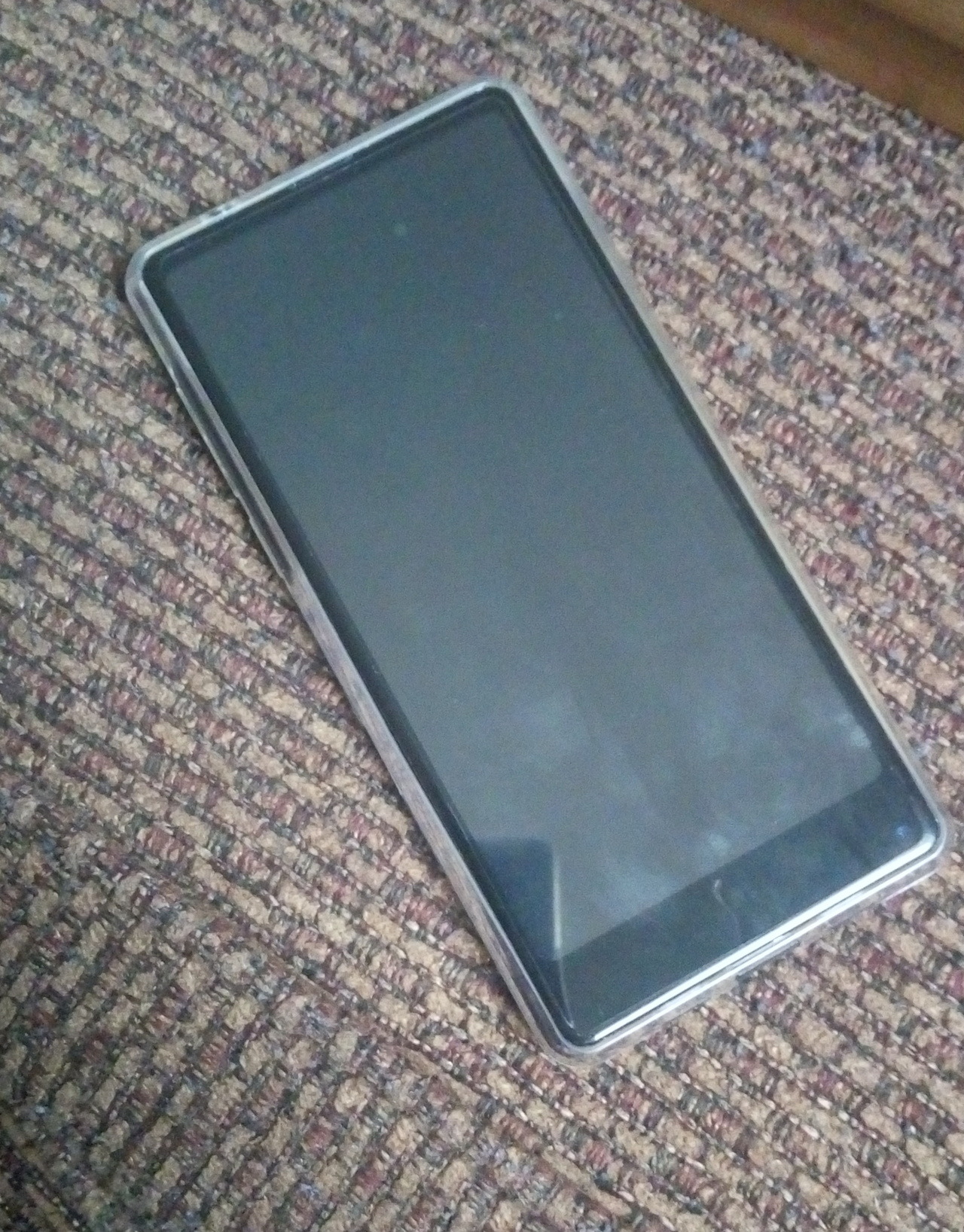
Pictured (an incomplete list): over a decade of diary entries, several years of dream journal, a few years of chat logs, copies of the comments I’ve left on blog posts (sadly incomplete, but far better than nothing), email archives for all three and a half of the email addresses I care about, tens of millions of words of fiction, a few hundred songs, a complete set of the Red Panda Adventures (including books and video comics), Wi-Fi maps for several cities I am relatively likely to find myself in, buggier and less-thorough Wi-Fi maps for the entirety of Canada and the United States, regular maps for every province/state I’m likely to visit in the normal course of events (Ontario, New York, Massachusetts), complete copies (including images) of several Tumblrs (including but not limited to mine), and the full text (but not images) of Wiktionary and Wikipedia.


Tags:

#I take great comfort in carrying my Useful Thing collection around with me all the time #and I have applied this same mindset to information #(the text portion of this post has been lying around in my drafts for so long that I’ve actually gotten a new smartphone since then) #((picture is of the new phone; taken using the old phone’s camera)) #(it’s still true it’s just that the portable version of my personal archive has a different physical embodiment now) #Brin owns *two* 2010’s computers now #(currently three; I plan to sell the old one soon to recoup most of what I spent on the new one) #proud citizen of The Future #oh look an original post #in a couple of days I’ll do the next backup and this post itself will become part of my archive #(the following category tag was added retroactively:) #101 Uses for Infrastructureless Computers
{{previous post in sequence}}


brin-bellway:

(Note: I do not do pranks. In any case, I encourage you to check this thing out for yourself.)

Today I learned that you can download the entirety of Wiktionary onto your smartphone. Speaking as someone without a cellular data connection who likes her apps to be as self-sufficient as possible, this is so cool.

(The downloadable Wiktionary is about a month out of date at the moment, but Wiktionary-as-it-was-one-month-ago is a lot better than nothing, and quite a bit better than an offline dictionary that only defines English and can’t be stored on the SD card.)

If I had a larger SD card, I could even get Wikipedia! (Or rather, Wikipedia as it was ~3 months ago, but still.) (~18 GB for an imageless version, 50-something GB for the full copy.) So, while I currently still don’t get to have Wikipedia at my beck and call at all times, the problem is now merely “too little storage space”, which is much easier to fix than “how the fuck do you even download Wikipedia”.

I haven’t played around with it that much yet, but initial tests are promising. (I tried using my local copy of Wiktionary just now to double-check my usage of “self-sufficient”, and it worked fine.)

(A while ago I was reading the Eclipse Phase RPG sourcebooks, and at one point they mention a device characters can get that stores a local copy of space-Wikipedia, automatically updating itself whenever you have space-Internet access and providing you with Wikipedia-as-of-the-last-time-you-had-Internet when you don’t have Internet access. And I was like “Damn, *I* want one of those”. Turns out, you can pretty much have one of those.)

Update: my uncle gave me a 64GB microSD card for Christmas. I now have an imageless copy of Wikipedia! (The card can technically fit a full copy, but then it wouldn’t have enough space left for everything else I want to put on it.)

You never know when you might want to look something up, and now I can! (as long as it’s not something where it matters that the offline version hasn’t been updated since September; I read some of their help forum, and apparently compiling a copy of a site that huge is difficult enough that they can only manage updates once or twice a year)


Tags:

#now if only I could find the time to finish my archiving #guess I’d better go tackle my to-do list if I’m ever to reach that point #oh look an update #Brin owns *two* 2010’s computers now #(if not clear the prank thing is because I wrote the OP on April 1st) #(the following category tag was added retroactively:) #101 Uses for Infrastructureless Computers
slythernim:

shedoesnotcomprehend:

earlgraytay:

nyarlathotwink:

has anyone on earth ever actually paid money for an app?

I have, but it was Choice of Games so it was more like paying money for an ebook that happened to be on sale as an app.

I had a class once that required me to pay (an offensively large amount of) money for an app.

I have, like actually on purpose and not just technically or under duress, paid for an app! I paid for Wolfram|Alpha ($3 I think, totally worth it for how much I used it in college) and an offline Wikipedia-clone (limited free version exists but it was $10 to download their whole article library, good for my anxiety even though I have never actually needed it). 

I have, for an app that synchronizes a Yahoo Calendar account with the Google Calendar app. (Yahoo Calendar itself does not have a proper app, or didn’t last I checked.)

It was $3, and I don’t regret it. (It’s a shame I can no longer use the app and have to resort to manual imports, but that’s not the app’s fault: there were some issues with Yahoo and the account owner (not sure about the details), and now the account that technically owns the Yahoo calendar in question can’t log into any new computers (such as the new smartphone I got in January).)

Also, I sometimes buy the ad-free versions of apps I like after I’ve used them for a while. But SmoothSync is the only one I’ve ever paid upfront for.

an offline Wikipedia-clone (limited free version exists but it was $10 to download their whole article library, good for my anxiety even though I have never actually needed it)

Which app was that? I have Kiwix*, which is nice, but they don’t actually update monthly like they say they do: in fact, my Wiktionary copy actually ended up downgraded from March 2017 to December 2016 when I had to re download after a factory reset. (The option to download the March 2017 version wasn’t there anymore. I don’t know what happened to it.)

*Well, I have their Wiktionary copy. Wikipedia is too big for my current amount of storage space. (Someday!)


Tags:

#I was going to reblog from shedoesnotcomprehend #but then I saw this one in the notes and wanted to ask about the wiki clone #Brin owns *two* 2010’s computers now #reply via reblog

{{previous post in sequence}}


brin-bellway:

Updates:

SD cards turn out to be a lot more complicated on Android 6.0 than they were on 4.2, so it took longer than I thought it would, but I’ve finished the transfer. All of my stuff (give or take a weather app) is on my new phone, and my old phone is now officially Mom’s.

Re: Internet access, it remains to be seen how much can be done with option 1–I might still use it at least partially–but it’s looking like the primary answer is going to be option 3.

Mom was remarkably agreeable to switching to my old smartphone as her primary cell phone, under two conditions: that nobody expects her to use the smartphone to anywhere near its full functionality (she doesn’t want to have to deal with getting to know a new kind of computer, at least not beyond a shallow level), and that I figure out a reasonably practical way for her to carry it around with her (she currently carries her phone in a flip-phone-sized pouch in her backpack).

(Dad suggested sticking her SIM card into a smartphone when I wanted to use data, then putting it back in the flip phone afterward for routine use. I said I didn’t think flip phones had removable SIM cards. Turns out the real answer is in between: *modern* flip phones have removable SIM cards, but her phone is so old it predates PC Mobile flip phones becoming the type of phone that has a removable SIM. In order to switch a SIM card back and forth, she’d need to get a new flip phone; if she’s going to change primary phones anyway, why spend money on an additional phone when we have a perfectly good smartphone available?)

It seems we can’t get a monthly or yearly graph of how much phone credit she’s actually using, but judging from the amount of credit she currently has built up, over the six years she’s had her account she’s used an average of ~$70/year. Put another way: if the average usage rate holds, we could buy a $10/month basic data plan May – October and not run out of spare credit for about 6 years. That’s long enough to be getting on with; hell, for all I know, I’ll have a need for my own phone plan by then.

I already borrow Mom’s phone on those occasions I need access to the cell infrastructure. This will just be an extension of that.

I’m not going to take any action on obtaining a data plan until it gets close to spring. If all goes well, Mom will keep her old flip phone for the rest of the winter, and she’ll have some time to get used to having a smartphone before trying to do any actual phone stuff with it.

(It’ll have to be Brother who gives her the tour of how to do actual phone stuff on a smartphone. I’ve never done it, after all.)

Spring update:

I’ve been playing Pokemon Go for about a week now. (It’s been warm enough for a while, but I had to deal with finals first.) Thus far, Operation Mobile Hotspot has been a complete success!

(Mom’s smartphone even fits in her customary phone pouch. Turns out the pouch was more elastic than we thought.)

If I’m careful to supplement heavily with Wi-Fi (and prevent other apps from using background data as much as possible*), I might actually be able to stretch a 100MB plan to last a whole month of playing 1 – 2 hours/day. The plan does permit overage data, but it’s 50% more per MB than the first 100 are, so I’d rather not. (But still, I have the option of using a little bit extra to finish the last walk or pop out to the nearest Pokestop for a streak bonus.)

(I know every public hotspot within half an hour’s walk now, and how big a range each one covers. Conveniently, Pokemon Go doesn’t crash when you lose Internet**: it merely pauses, springing back to life the moment you re-connect. This makes it easy to switch back and forth between mobile hotspot and public Wi-Fi as I move in and out of coverage zones. I also save anything that can be done while stationary–such as sorting through new catches and transferring the ones I’m not keeping–to do at home.)

I’m enjoying the game so far, even apart from its practical benefits. (Practical benefits: learning my way around a Pokedex***, going for more/longer walks.)

*My saved-network settings have an option for “treat this network as if it were mobile data for data-conservation purposes”, which is very handy for mobile hotspots.

**It crashes once or twice an hour, but not from this. (Possibly due to GPS issues: it tends to happen at the same locations.)

***Me, last night: “Wait, is that a Jigglypuff or a Wigglytuff?

…I’m surprised I even got that far.”


Tags:

#media I consumed primarily to know what all the fuss was about #(while I *am* enjoying the game even apart from its practical benefits) #(the practical benefits were the deciding factor in playing it) #Pokemon Go #in which Brin learns to speak Pokemon #oh look an update #Brin owns *two* 2010’s computers now #(oh by the way I looked it up just now and it looks like it’s a Jigglypuff)

(Note: I do not do pranks. In any case, I encourage you to check this thing out for yourself.)

Today I learned that you can download the entirety of Wiktionary onto your smartphone. Speaking as someone without a cellular data connection who likes her apps to be as self-sufficient as possible, this is so cool.

(The downloadable Wiktionary is about a month out of date at the moment, but Wiktionary-as-it-was-one-month-ago is a lot better than nothing, and quite a bit better than an offline dictionary that only defines English and can’t be stored on the SD card.)

If I had a larger SD card, I could even get Wikipedia! (Or rather, Wikipedia as it was ~3 months ago, but still.) (~18 GB for an imageless version, 50-something GB for the full copy.) So, while I currently still don’t get to have Wikipedia at my beck and call at all times, the problem is now merely “too little storage space”, which is much easier to fix than “how the fuck do you even download Wikipedia”.

I haven’t played around with it that much yet, but initial tests are promising. (I tried using my local copy of Wiktionary just now to double-check my usage of “self-sufficient”, and it worked fine.)

(A while ago I was reading the Eclipse Phase RPG sourcebooks, and at one point they mention a device characters can get that stores a local copy of space-Wikipedia, automatically updating itself whenever you have space-Internet access and providing you with Wikipedia-as-of-the-last-time-you-had-Internet when you don’t have Internet access. And I was like “Damn, *I* want one of those”. Turns out, you can pretty much have one of those.)


Tags:

#I mean there’s a lot of tech in Eclipse Phase that’s like ”damn I want one of those” #but that one stuck out because it seemed like it might actually be feasible at our current tech level #and indeed it is #give or take a live-update mechanism #(which might very well be the hard part) #oh look an original post #proud citizen of The Future #Brin owns *two* 2010’s computers now #the more you know #(the following category tag was added retroactively:) #101 Uses for Infrastructureless Computers


{{next post in sequence}}