


qwantzfeed:

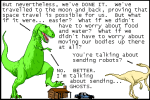
ghosts stay around because of unfinished business, and there’s a lot of unfinished business in space

***

My new book is out now!  It’s called HOW TO INVENT EVERYTHING and it’s a survival guide for the stranded time traveler.  It’s also the most dangerous book ever in time.  I really think you’ll love it.  With it, I really think you’ll make history… better.  Find out more here!


Tags:

#the comic is nice but the part of this post that most interests me is actually the book ad #that book looks like my jam #comic #ghost #101 Uses for Infrastructureless Computers

rationalists-out-of-context:

Just because I have 20 tins of tuna doesn’t make me a prepper


Tags:

#meanwhile at my house: #Mom: ”we only have 20 cans of tuna left we need to go to the grocery store” #(the correct number of tuna cans to have on hand is 160) #(200 is also acceptable) #(even then we often run out before we can get back to New York) #((I wonder if the quoted person was thinking of some size of tuna tin larger than one serving?)) #food #101 Uses for Infrastructureless Computers

AVOID THE WINDOWS 10 OCTOBER 2018 UPDATE OR RISK LOSING ALL OF YOUR PERSONAL FILES

maryellencarter:

mamoru:

Posted Oct 5th, 2018

Many users are reporting massive data loss following the October 2018 Windows 10 update. Personal files are being deleted and hard drives are being corrupted in addition to several performance glitches. Users who have received the update are reporting all of their personal files such as documents, music, pictures, and videos being deleted following the update.

Some people have lost hundreds of gigabytes of data. These files are completely disappearing following the update – they do not wind up in the recycle bin, they are completely gone. Other users are reporting their entire hard drives or SSDs becoming corrupted, making rollback and recovery of said deleted files impossible.

In addition to the file deletion, devices with 6th generation Intel processors and newer are reporting awful battery life and CPU usage following the update.

Long story short, hold off on the October 2018 update for now. There are too many glitches and way too much to lose. If you attempt it,

BACK UP ALL OF YOUR FILES FIRST.

More information:

Digital Trends

Forbes

Cnet

ZDnet

Again?! Jesus fuckwaffles, I still haven’t gotten back on Win10 after the April update bricked my laptop…


Tags:

#PSA #I recommend keeping backups just in general #but now would be an especially good time #and even with a full backup this would still be a huge pain to deal with #(I haven’t booted up my Win10 partition lately so I haven’t encountered any of this myself) #amnesia cw

{{previous post in sequence}}


Speaking of self-sufficient smartphones, and today in Posts I’m Writing Because I Know I’m Going to Want to Link Them Later, here are some offline-focused apps I already have:

Games: 2048, Boomshine, Hangman, Minesweeper, Sudoku. (I prefer to use a laptop for more complex games.)

File interfaces:
    AndrOpen Office: takes a ridiculously large amount of storage space (400 MB!), but if you have the room for it, a pretty good way of interfacing with the .odt- and .doc-formatted parts of your archive. (If you don’t have the room for it, LibreOffice Viewer is better than nothing.)
    FBReader: A good way of interfacing with the .epub- and (if you get the extension for it) .pdf-formatted parts of your archive.
    foobar2000: I used to use built-in MP3-player apps, but that forces you to change to a new one when you change phones. Then for a little while I had one that didn’t offer mass-adding to playlists and, if you tried to skip to a particular point in a track, *pretended* to work but actually skipped you to a *random* point in the track. This one doesn’t seem to have either of those problems.
    Kiwix: The leading way to interface with the .zim-formatted parts of your archive. If you don’t have any .zim files (or if you do, for that matter), they will offer you some. I highly recommend downloading Wikipedia and Wiktionary. (The current version of the app is a little prone to crashing, but it’s still usable IME, and I expect they’ll fix it at some point.)
    ZArchiver: For the .zip (or tarball, I guess) parts of your archive.

Things that prefer to sync with the cloud at least occasionally, but in the absence of Internet will continue running off of their (increasingly outdated) local copy of the data indefinitely:
    MapFactor: Offline maps by province! OpenStreetMaps-based, so if you find an error you can (once you have Internet again) just fix it and it will trickle down with the next map update! Saved-waypoint backups to both cloud and file! Does *not* delete your maps if you haven’t had a chance to update them for a few weeks (seriously, Google Maps, what the fuck)!
    Google Calendar: need I say more?
    Google Sheets: Currently I rarely need my spreadsheets to be offline (a lot of them deal with online games), but it’s nice to have around for the exceptions.
    Google Translate: not all functions can be made available offline, but you can still do a fair bit if you make sure to grab all the offline-language packages you might need beforehand.
    Unit Converter: Internet is completely irrelevant for most of this, but there is a currency-conversion function as well. Never realised how useful a currency converter would be until I had one: lets me do things like follow Mom around Aldi translating the prices of everything she’s interested in buying, to help her decide if it’s a good deal or not.
    Weather Underground: Obviously, this one becomes outdated sooner rather than later, but it’s still nice as they go.
    Dropsync: Last I checked, the official Dropbox app had neither a “sync all files” option nor a “store files on SD card” option. This one does both.

Things I keep around specifically in case of being without Internet:
    OffLine Browser: I haven’t really had a chance to use this yet, and I’m not sure its use case really applies to me (generally if I want a local copy of a website, I want it for the long term and portable; I don’t tend to need temporary or app-tied caches), but it might come in handy.
    Avast Wi-Fi Finder: Whenever possible, use wifimap.io instead. Problem with wifimap.io is, it only offers downloadable maps by city (and doesn’t show which province-level jurisdiction the city is in, just which country; you don’t get to know, say, which of the 12 Stratfords in America it’s actually offering you), so no matter how well you predict which locations you’re going to end up in, sooner or later you’re likely to end up in a location too small to have an associated downloadable map. (In which case it’s still useful for situations where you can use the live map, like “has *some* mobile data but is looking to stretch it out by supplementing with Wi-Fi”, but if you have no Internet at all it’s useless.) Avast is much buggier, tending to lose hotspot listings, but at least it offers whole-country downloads. It’s better than nothing: just remember to take its information (*especially* information on where hotspots *aren’t*) with plenty of salt. (Take wifimap.io’s information on where hotspots aren’t with salt too, and consider fixing it where you can. I like to go out to new places and go treasure-hunting for unlisted public hotspots to add.)
    Nethack: Okay, not so much something I keep around in case of being without *Internet* so much as something I keep around in case of being without a *laptop*. As I mentioned earlier in the post, I prefer laptops for more complex games; however, if someday I have to go without a laptop for an extended period, I want to reserve the right to play Nethack anyway.


Tags:

#oh look an original post #101 Uses for Infrastructureless Computers #Brin owns *two* 2010’s computers now #recs

gasmaskaesthetic:

Why does anger feel good? Most of my undesirable emotions are painful in addution to themselves, so I actively want them to stop. Anger is the one I hesitate to soothe. When I’m angry, it makes me angrier to try to talk myself down instead of letting the rage play out. I can still do it, but it takes a very different kind of effort compared to sadness, or anxiety, fear, or irritation.

Sadness is something I impulsively indulge in, sometimes, but my natural tendency is to do so by seeking comfort, so it’s self-regulating.

When I’m anxious or afraid, I want to get out of that state immediately. This doesn’t always generate *effective* behavior but I’m not resisting the attempt to feel better out of an active desire to stay that way.

Irritation isn’t the same thing as anger. It’s excessive sensitivity. It can turn into anger, but I never want to remain irritable.

Anger moves me to take action. It’s satisfying to direct anger at a target. It feels *good* to rail against some real or imagined wrong. Some of the clearest thinking I’ve ever experienced has been at the peak of justified anger. The risk of indulgence here is pretty obvious. Given how much satisfaction I get from anger, I think I do a pretty good job of staying away from rage-bait. I’m also lucky in that I’m not easily driven to anger in the first place. Most of my anger-management is preventative. I’m not sure what I’d do if that got, say, 40% harder.

I’m curious about other people. Answer all or just some of these, if you want:

Do you work yourself up over things, intentionally or otherwise?

Do you seek out material that triggers anger but does little else for you?

When you are angry, do you ever want to stay angry?

Does that ever change depending on why you’re angry?

Do you find it difficult to notice that being angry is making you less effective?

*Does* anger make you less effective, and how do you tell either way?

Do you ever want to stay angry even after acknowledging that it would be better (for whatever reason) to stop being angry?

>>It’s satisfying to direct anger at a target.<<

Personally, I find anger the *exact opposite* of satisfying.

Anger, for me, is very much about violence. Anger is a desire to hurt the entity that wronged me; if the entity that wronged me is not capable of experiencing pain (like if a rock fell on my foot) or I don’t expect I will be able to successfully hurt them (so, always; violence is far too risky for me to seriously attempt it), this will often spread out into a more generalised longing to cause pain. Getting angry tends to wind up as a period of feeling intensely unfulfilled regarding the utter lack of beating-people-up in my life.

When angry, I tend to feel conflicted about ceasing to be angry in much the same way that I feel conflicted about any other attempt to deal with unfulfilled desires by ceasing to want the thing.

>>Do you seek out material that triggers anger but does little else for you?<<

Only under orders. Eventually I learned to treat “pressures you to experience anger” as a major red flag.

I can also be conflicted about ceasing to be afraid: yes, I want to be unafraid, but I specifically want to be unafraid *because the scary thing is gone*. Deep-breathing exercises and other such techniques, things about trying to trick your brain into feeling safe independently of whether it actually *is* safe, are repulsive. The closest I get is fear also increasing my desire to defend against *other* bad things than the one I’m actively being menaced with: to use the most recent example, I tend to be more interested in making my smartphone resilient against loss of Internet if I’m experiencing a lot of financial anxiety, even though my level of Internet access is effectively unrelated to how much money I have (I don’t expect to ever be poor enough to lack home Internet (it’s profitable on net!), nor rich enough to be comfortable buying [a personal mobile data connection with plenty of buffer]).

However, I usually *do* endorse ceasing to be sad even if nothing about the thing that was making me sad improves.


Tags:

#in related news if you have smartphone self-sufficiency tips I’m interested in hearing them #(there’s a reason the prepping tag is:) #101 Uses for Infrastructureless Computers #is the blue I see the same as the blue you see #reply via reblog #violence cw #and more tangentially related: #adventures in human capitalism #Brin owns *two* 2010’s computers now


{{next post in sequence}}

{{previous post in sequence}}


Since I keep wanting to be able to link to it, and also to help me keep track of what all I’ve got in this, here is an updated Utility Belt Inventory, September 2018 edition:

Main bag:
    Main compartment:
        Wallet (notable non-obvious content: glasses prescription)
        Notebook
        2 pencils (mostly for taking exams)
        4 napkins
        Canadian passport (acting as primary government ID)
        Small scrunchie (I often bring my big scrunchie with me too, but I use it around the house often enough not to keep it in the bag)
        Small dim flashlight, good only for reading by
        AAA replacement battery for above flashlight (expired 2015; mind you, flashlight has same batch and works fine)
        Packet of Kleenex
        Book-shaped keychain, with broken attachment
        Twisty tie
        Honey-coloured rock, souvenir of a Rock and Mineral Fair a few years back
        Eurocent coin (found on a store floor in *this* continent)
        100 yen coin (ditto)
        Penny squished into New England Aquarium souvenir
        Shopping bag, folded into its attached pouch
        Disposable plastic bag (the kind bulk foods are sold in)
    Front compartment:
        Clip-on sunglasses
        Nature Valley peanut butter granola bar (expires January 2019)
        Nutri-Grain mixed berry granola bar (expires April 2019)
        Pen (the kind with a button you click, rather than a separate cap that could get lost)
        Plastic tortoise
        Rubber lizard
        Stretchy string (originally a Chuck E Cheese prize bracelet, which I immediately untied into string), which past!me says is 16in long so I didn’t bother to measure it now
        3 moist towelettes
        Short string with keychain loops at each end
        Chunk of amethyst, with broken keychain attachment
        Magnifying glass
        Penknife, with scissors and tweezers
        Slice of blue agate
        Mini crayon set (six to cover the rainbow, plus brown and pink), in a Ziploc so that it won’t spill and/or melt over anything if its case breaks
        Small blue Sharpie
        Mini sewing kit (I let past!me catalogue its contents: “a needle, six different colours of thread wrapped around some cardboard, a safety pin, and a button”)
        1-metre tape measure
    Back compartment:
        Quart/medium Ziploc bag (huh, that’s it for empty Ziplocs?; *adds another quart, plus 2 sandwich, 1 snack/small, and 1 gallon/large, then moves to main compartment for better fit*)
        2 tampons: 1 light, 1 medium
        2 menstrual pads
        Some dried-out baby wipes (water to reactivate them stored separately)
        Silver Star of David, necklace attachment *not* broken but also not in use
        Loop with…what is this kind of closure called? *searches* looks like it’s called a “side-release buckle”; about 9in long in total
        Wire saw
        8×11 paper with knot instructions printed on it, given to me by my Girl Guide leader
        An overlapping set of knot instructions, this time on a set of professionally laminated cards
        Purple geode
        Foil blanket
        …what the fuck, where is my poncho, could have sworn I had one in here
        (Well, at least I have a blanket and a hat (hat to be described later), that might suffice)
Hand sanitizer (directly attached to belt)
Phone pouch:
    Back compartment:
        Earbuds
        Lightweight gloves with capacitive fingertips
        The lanyard that came with the pouch
        Strap about 2ft in length, with clips on each end (visible in the third picture of the link)
        Carabiner
        (Coming soon: solar-powered external phone battery (+ bonus flashlight function), ETA November)
    Middle compartment:
        Phone (+ myriad contents)
    Front compartment:
        USB to microUSB adapter
        microSD to SD adapter
        String with adjuster (also visible in the third picture of the phone-pouch link)
        Snack size Ziploc containing the European!AC to USB adapter my most recent smartphone came with, the pin for popping the SIM card tray out, and something that might be a stand
        North-American!AC to USB adapter
        …huh, apparently I have *two* microSD to SD adapters in here, that seems excessive; *puts second one on coffee table until I decide where to keep it*
        Spare pair of earbud covers
        Screen cleaning cloth
        Edit Sep/15/2018: Found out Dad had the kind of adapter that lets you plug USB peripherals into a smartphone lying around unused, so I stuck it into my phone pouch in case it comes in handy. I’ll give it back if he needs it, plus I recently gave him my spare microSD card (32 GB), so even if you insist on viewing it transactionally he’s getting the better end of the deal.
Keyring (on retractable string)
    House key
    Loblaws (grocery store) loyalty card
    Canadian Tire (department store) loyalty card
Other keyring
    Bike key
    P.O. box key
    Samoa keychain
Penknife pouch
    Penknife, with fork, spoon, and corkscrew
Medkit (and other things that needed the space)
    Side compartment:
        3 medium-small Band-Aids
        3 medium Band-Aids
        3 knee Band-Aids
        Moleskin bandage
        String with adjuster and clips at each end, like a hybrid of the things from the third phone-pouch picture
        Emery board
        2 dimenhydrinate pills (expires January 2020)
        2 pseudoephedrine pils (expires June 2019)
        2 acetominophen+dextromethorphan+phenylephrine pills (expires October 2018; I would have preferred pure dextromethorphan pills, but the combo was all they had in pill form (cough syrup is fine for home, but hard to store in a medkit))
        1 loperamide pill (expires May 2020)
    Main compartment:
        Snack Ziploc:
            4 restaurant packets of salt
            2 restaurant packets of pepper
            1 single-serving bag of M&Ms (expires November 2018)
        Bug repellent
        Sample-sized tube, originally some skincare product, washed out and refilled: masking-tape label indicates it is antibiotic ointment and expires November 2018
        Another sample-sized tube with the same treatment done to it, this one indicating it is diphenhydramine anti-itch ointment and expires March 2019
        2 pairs of disposable nitrile gloves
        Fairly large roll of something that might be gauze
        Smaller roll of something that is definitely gauze, as it is labelled (past!me only mentions one roll of anything even resembling gauze, so I can’t ask her for help)
        Travel-sized bottle of ibuprofen, emptied out and refilled with a newer batch (masking-tape label indicates it expired June 2018; *fetches January 2021 batch from cupboard, dumps out 6 old pills, replaces with 8 new pills, relabels*)
        Surgical mask, for keeping pollen out of throat
        Blister prevention ointment (looks like a deodorant stick, but you rub it on your feet)
        Whistle/compass/mirror combo
        Collapsible metal ~shot-sized cup, with keychain loop
        Mini hairbrush
        Lighter
        Instructional paper (past!me lists it as “heat exhaustion, blisters, insect stings, and sprains”)
        Dental floss
        (Coming soon: water-filtration straw, ETA December)
Paracord bracelet (directly attached to belt)
Hat with brim and chinstrap, tied up in chinstrap and strung through belt

Honourary member: one-quart water bottle, in shoulder-strap pouch

(for comparison)


Tags:

#oh look an original post #Useful Things #101 Uses for Infrastructureless Computers #food mention

Saw an ask meme where one of the questions was “How well do you think you’d do in a zombie apocalypse scenario?”, and wondered how I would answer it.

I would probably do fairly badly, actually, despite what you might think given some of the stuff I’ve been talking about lately. Most of my apocalypse-proofing efforts assume few to no hostiles. I don’t think I even actually want to change this: the best forms of apocalypse-proofing are the ones that make regular life better too (even if there are never food shortages, keeping a supply of your favourite nonperishables on hand means you can buy during one 20%-off sale and live off of it until the next 20%-off sale, so that it’s effectively 20% off all the time), the next best are the kind that start being useful when even a minor, common disaster strikes (let’s gather round the solar-powered computer and listen to some locally-stored music while we wait for them to fix the downed power line), followed by the ones that have never done anything concretely beneficial but at least you feel safer having them around (I sometimes look at the cases of water sitting in the parental bedroom and smile). But being good at violence would just make me more tempted to use it where it isn’t warranted, and that would make regular life *harder* and *more* likely to go disastrously.

The best-case scenario is probably the one where I become the pet librarian/techie of some group, coaxing as much function and comfort as possible out of off-grid computers. Wikipedia is handy in almost any situation, and I bet there are times as a post-zombie nomad when a video game is *exactly* what you need for morale, a reminder that not *everything* about the old world is gone.


Tags:

#can’t shoot and I suck at running but I’m damn good at   #101 Uses for Infrastructureless Computers   #(<– when I thought of that tag something in my brain went ”that. that’s the prepping tag.”)   #(which is the main reason I’m posting this)   #((will use it on non-computer-related prepping too though))   #mind you skill at running is probably in the Makes Regular Life Better Too category   #perhaps I’ll try and acquire some   #oh look an original post   #food mention   #apocalypse cw   #zombie apocalypse   #adventures in human capitalism

evolution-is-just-a-theorem:

evolution-is-just-a-theorem:

Starting on my final issue for work. Stay tuned for amusing fury.

I was originally planning on not rewriting *any* of the build infrastructure, but it was *so* bad that it was genuinely more efficient to rewrite it instead of hacking what I needed together.

I have no idea how my co-workers tolerated this for literally years.

Remember kids: once you’ve run it twice it’s time to automate running it.

Good advice that I’ve been trying to keep in mind more often.

(I’ve made more habit-cultivation progress for the somewhat-related guideline of “once you’ve accessed a piece of cloud-based information twice, it’s time to make a local copy of it.”)

^ Today in “old posts that I keep thinking about”, though this one is rather less old than the previous.

This time, the post is brought to you by learning how to convert online MediaWiki-based wikis into sets of linked HTML files. Now I can play Nethack without Internet access and still look things up on the Nethack wiki!

Next I’m going to research cron tasks some more and see if I can figure out how to meta-automate the automated wiki archiver: make it take a fresh copy once a month, zip it, and leave the zip in the appropriate folder. I’m guessing that’s probably a thing I can do with only slightly more Linux know-how than I currently have. Time to go acquire the slightly-more.

(I probably sound like a total noob, but I’m a total noob with a local copy of the Nethack wiki.)


Tags:

#(also the Crawl wiki while I was at it) #I probably need some kind of prepping tag #it keeps coming up in ways that don’t *quite* fit into the memory or phone or finance tags #reply via reblog #(more or less) #Nethack #(the following category tag was added retroactively:) #101 Uses for Infrastructureless Computers

{{previous post in sequence}}


somnilogical:

brin-bellway:

somnilogical:

my hobby: mass downloading the entire corpuses of long-running blogs on to my phone as an epub and searching keywords when i want to talk with someone

What mass-downloading method do you use?

I, too, am interested in downloading entire blog corpuses onto my phone, and I’m curious if you have any tips/techniques for archiving more effectively.

(I’m not sure to what extent your post is joking, but I thought I’d ask the above in case it’s sufficiently serious that you actually have a real mass-downloading method in mind.)

ive used http://www.bloxp.com/ (id like something better) which converts some blogs and has trouble with others

this is a thing i do! ah but i did prepend it with the meme format of “my hobby:” which is evidence that the thing following is not, in fact, your hobby

Ooh!

For what I can tell from the initial testing: not a full solution, but for the things it *can* handle, much faster and less effort than the pasting-things-into-LibreOffice-documents (sometimes printing-pages-to-PDF) I normally do.

(Automation is like salt: I often find things are better after adding it, but it rarely occurs to me to add it unprompted.)

P.S. It did at least occur to me a mere couple of weeks after changing my podcast-downloading habits to something that would be aided by a podcatcher that I should, in fact, get a podcatcher. Although that might have been prompted by noticing that Rhythmbox has a podcatcher built-in, so maybe it doesn’t count.


Tags:

#reply via reblog #Brin owns *two* 2010’s computers now #(the following category tag was added retroactively:) #101 Uses for Infrastructureless Computers

somnilogical:

my hobby: mass downloading the entire corpuses of long-running blogs on to my phone as an epub and searching keywords when i want to talk with someone

What mass-downloading method do you use?

I, too, am interested in downloading entire blog corpuses onto my phone, and I’m curious if you have any tips/techniques for archiving more effectively.

(I’m not sure to what extent your post is joking, but I thought I’d ask the above in case it’s sufficiently serious that you actually have a real mass-downloading method in mind.)


Tags:

#reply via reblog #Brin owns *two* 2010’s computers now #(the following category tag was added retroactively:) #101 Uses for Infrastructureless Computers


{{next post in sequence}}