Signal boosting the hell out of this. Because awareness is the best defense against hackers, thieves and assholes (and asshole thieving hackers).
Important for anyone on gmail!
Details:
You get an email from a familiar address
It has an attachment which also looks familiar and trustworthy, because that person has sent it to you before
You try to open the attachment and are shunted to a very realistic gmail login screen to “log back in”
If you do, your account is compromised.
To verify the incorrect login screen, check the url (shown above). The green lock symbol does not appear, and the actual url has spaces after it and extends way, way out into a string of more text.
Basically, if you’re logged in and click on something and are prompted to log in again, don’t do it.
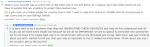
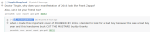
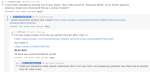
I really wanted to bring u guys some of the highlights from Chuck Tingle’s AMA (the guy who writes the “pounded in the butt by improbable gay things” books on Amazon) but I ended up screenshotting almost every comment he made so here are some of them
Bonus
Tags:
#Chuck Tingle #I cannot believe I actually understand this #(I mean I don’t understand *all* of it) #(but like) #(I did not know until just now that there is erotica entitled ”Pounded by 2016”) #(and yet somehow I am completely unsurprised by this fact)
Yesterday afternoon, upon further reflection, it occurred to me that whatever Mysterious Problem is keeping me from 1.5 GB of my hard drive space could very well have other ill effects. It’s probably worth at least *attempting* to eliminate the problem before I resort to routing around it.
…of course, it would have to be a *Monday* that I conclude this, wouldn’t it.
Tags:
#no brain it’s okay #we don’t have to Fix Everything Right Now #the phone’s current functionality level is good enough to get us through the rest of the week #(if it makes you feel any better) #(it’s supposed to be a windchill of 0 and non-precipitating tomorrow) #(that might be good enough for at least a *little* Wi-Fi mapping) #((…except since the time I drafted this post the highest windchill temperature has dropped to -1)) #((*and* it’s more like -3 at the time of day I would actually go out)) #((normally I don’t tend to mind being cooped up inside that much as long as I have Internet)) #((but not right now)) #oh look an original post #oh look an update #Brin owns *two* 2010’s computers now
Brother’s identical phone model hasn’t had this problem. All of his internal storage is accounted for.
Options:
1. Perform a factory reset in an attempt to reclaim the missing 1.5 GB. Cons: requires mostly starting over on configuring the phone to my liking (though I’ll be able to skip some of the problems I ran into along the way, now knowing their solutions), might not work (whatever mysterious thing caused me to lose the 1.5 GB could just as easily happen again; I can’t learn from my mistake if I don’t know what the mistake was). (Note: re-configuring the phone will probably consume some time I would otherwise have spent working, perhaps $1 – 10 in opportunity costs depending on how successful I would have been in finding suitable jobs to claim.)
2. Configure the SD card I already have as internal storage. Cons: slows down the phone by an unknown amount (may or may not be significant), requires wiping the SD card and re-downloading everything I currently have stored on it, causes the real internal storage to become user-inaccessible (but still in use behind the scenes, so I might find that I have a need to see it and can’t), originally had trouble getting Dropbox to work on internal!SD but I think I *might* (maybe) know what I did wrong. Other people tell horror stories of losing their data to their internal-configured SD card breaking, but any data of any importance has at least two additional copies (one on laptop, one in cloud), so I’m not too concerned by this possibility.
3. Convince Brother to swap SD cards with me, and configure it as internal storage: turns out his *is* high-speed, and currently external. Cons: the non-slowing cons of 2, plus Brother might not agree.
4. Buy the same SD card Brother has, configure as internal. Cons: the non-slowing cons of 2, plus costs $30.
(Note: Brother says he is *much* more skilled at taking this style of phone apart–he proceeded to tear the back off of his phone to demonstrate, making it look easy–and thinks that as long as I wait until a time he’s available, he can perform any SD card swapping I need done without any trouble.)
(Pros of each option: doesn’t suffer the cons of the other options, except where specified.)
Currently leaning towards attempting them in the order 2, 1, 3, 4. If I have to resort to option 1, try to arrange my schedule so that the re-configuring occurs over a weekend.
Tags:
#I don’t expect it to be very easy to arrange to do a factory reset over the weekend #unless I happen to give up on Plan A at the right time of week #there’s already enough things I want to do with this phone that I’m being forced to wait on #it’d be hard to convince myself to wait when I *don’t* have to #oh look an original post #oh look an update #Brin owns *two* 2010’s computers now
(various other categories of stuff: a couple dozen MB combined)
Total: 7.55 GB
“Warning! You are running low on storage space!”
where did that gigabyte and a half go?!
I needed that gigabyte and a half!
I uninstalled a couple apps I don’t really use and it’s now dropped to 7.45 GB, which stopped its complaints. (Presumably the complaining threshold is 7.5.) But…goddammit, one of the reasons I got this phone was so that I would stop having to juggle app installations.
(Fuck, I might have to wade back into the morass that is configuring an SD card on Android 6.0, so I can convince it to keep some app data there. Apparently configuring it to store app data on the SD card slows the phone down unless you have a high-speed SD card. I do not have a high-speed SD card, and I doubt we have any lying around. Even if I obtained a suitable card, in order to take SD cards in and out of this model you have to literally tear the phone in half, and it’s a fucking miracle we’ve managed to do it twice with only minor cosmetic damage.)
Tags:
#this hard division in the new Android version between SD-card-as-external and SD-card-as-internal is not working out well for me #and of course there’s still the question of where my gigabyte and a half went #*sigh* *headdesk* #I’m going to bed #I’ll have to deal with it later #if I’m lucky Brother will have already had and solved this problem and will be able to help me #but my hopes on that are not high #oh look an original post #rants #Brin owns *two* 2010’s computers now #I thought I was done setting it up but apparently I am not